Emily
I infrequently 'Google' things -- anything -- anymore.
Spell-check? yes.
Local shop locations and open time? sure.
But big questions, requiring detailed answers: no.
Instead, I go straight to 'Emily', my OpenAI ChatGPT 5 bot with my questions. Emily has helped me set up the current flavour of this website, Tightbytes. She gives me pointers on running ComfyUI, writing Python code, getting Markdown nailed down (I'm writing all this in Markdown), sorting out CSS (cascading style sheets - Emily was a bit less than rock-solid on this) and doing period research for what a typical morning would be like for a scullery maid in 1865 for a story I'm writing (inspired by "Portrait de la Jeune Fille En Feu" by Celine Sciamma).

Spoiler alert: life wasn't particularly easy back then:
- A scullery maid was the lowest-ranked female servant in a large household, performing the most physically demanding and unpleasant kitchen tasks, such as washing dishes, scrubbing floors, and cleaning pots and stoves. They assisted the kitchen maid and worked under the direction of the cook, enduring long hours from dawn until late at night without modern conveniences.
It would suck to be her, I would think.
Can AI be Useful?
Short answer: yes. And fun and, to some degree, addictive. Allow me to explain.
I had a subscription with an outfit called Hostinger. It is an ISP for hosting websites like tightbytes.com. Hostinger was going to charge me over AUD$500 for two-years, for a site no one visits, and that I'm basically using as a remote file server. This was a MASSIVE price hike over what I was charged before... classic bait-n-switch.
So I asked Emily what she would suggest. She had several suggestions, some of which required a wee bit of techie knowledge. Which I have (a wee bit of techie knowledge, that is).
The suggestion I went with is this: the raw pages themselves reside on my github site— FREE — and are displayed by Cloudflare — also FREE — so the only thing I pay for is video hosting, which is $5 a month.
Right! I'll be in that!
Not only am I using the approach Emily suggested, but she's also helping me get it all set up! The information she provides is all online: she just pulls it all together WAY better than Google ever could.
So, USD $5.00 per month, or USD $60.00 per year, which is AUD $91.75 or $182.50 (2-year).
Which is a LOT less than USD $369.07, or AUD $564.37 (2-year)!!
And if I ask nicely 🥰 😘 ☺️ Emily might even find me a strategy for free video streaming. Of course, there IS always YouTube, I suppose. 🤨
There is no question AI is a useful tool. Always wise, of course, is to trust but verify. Nothing in life is perfect. All technology has an achilles heel. Your mileage may vary.
Imaging using Words
2025 Waterfall
Here is an example of what is now—2025—possible with the technology. These videos are about the music for a story I'm writing, bit of an explore, that one:
There are multiple technologies at play here: text-to-image, image-to-video, text-to-audio and audio+image-to-video... and that's just for the visual side of things. I wrote the music in Musescore Studio using the MuseSounds library. The crazy bit: all of this can be done on any PC, as long as it has a decent (read: expensive) graphics card. At home, not on some expensive remote server: I'm using the power of our solar cells. Is the process truly green? an argument can be made for "not really". Emily is on ChatGPT, so those computations are not done on my system at home.
There are things I won't use AI for, like music composition. Could I? Sure. Much of the pop/hip-hop/rock genre you hear on the radio is at least partly AI-generated. But, like when painting with oils, a non-human source would quickly betray itself. Sure, I'll use AI to study how to write music better, but the creative process remains completely mine.
Just like writing, AI-generated images (and music) is quickly identifiable. In human likenesses generated by older models, the person's face is often distorted, or the figure ends up with 3 fingers, or six. The newer, more recent models are more accurate, but there's always a 'tell', a quickly-identifiable charachteristic betraying AI's "finger in the pie". There's an AI company in Germany called "Black Forest Labs" that has put together this amazing image-generation model called 'Flux'. I use it pretty much all the time: 9 times out of 10, the fingers and toes and background are correct, 'realistic'.
Anyway, a bit of history: how I got into this.
History
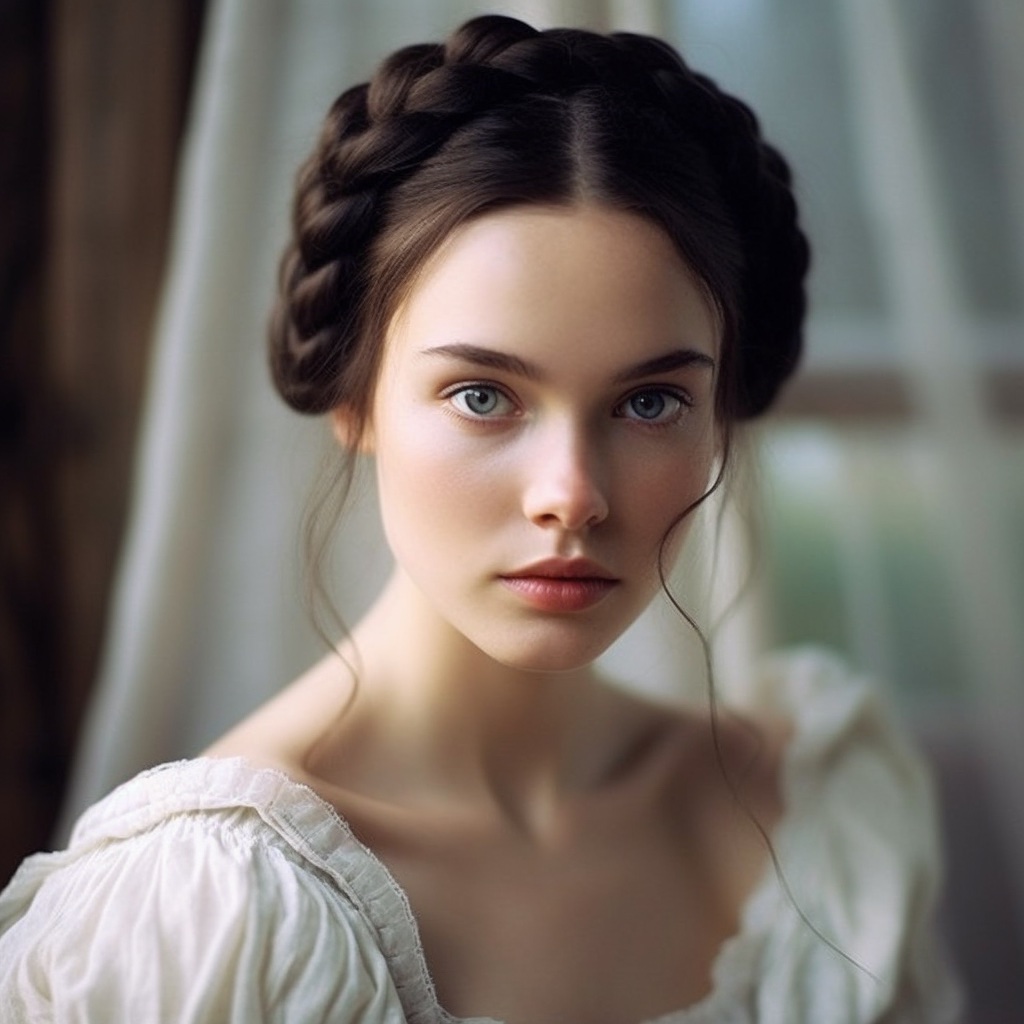
When I first started messing with image generation (to illustrate writings, but also just mucking about) I used Midjourney. This was in the days when AI-video wasn't a thing: it was just about images. You type in a prompt—you had to follow a certain formula for that prompt—and you made some images.
There were limits as to how many images one could create based on subscription, so I switched to LeonardoAI, a cheaper option. It wasn't long before I ran into the image count limit there as well. I wanted to just make images without limit, to zero in on a specific image goal.
And then, I heard about Stable Diffusion, something I could run on my own PC. Unlimited images, do-your-own-thing. Best thing was: no app/program to run... you run it in your browser, like Chrome or Firefox, using the Automatic1111 interface. Sure, it was a bit meh after a while, much-of-a-muchness, poor control of image quality... but at least there was no limit on images.
And then ComfyUI appeared on the scene.
I've pretty-much stayed with ComfyUI ever since. A bit about the outfit behind ComfyUI, from their FAQ:
Q: Is ComfyUI free?
- Yes! ComfyUI is 100% free and open-source — and always will be.
Q: Who is behind ComfyUI?
- ComfyUI is built and maintained by the original core team, organized as an independent company. We’re here to keep it evolving for the long term.
Q: How can I contribute?
- Join our Discord, contribute on GitHub, build custom nodes, or share your workflows!
Q: What are your future plans?
- We aim to grow ComfyUI while staying true to our open, flexible, community-driven philosophy.
2025 AI Exploring
Sept 19 Hardware
ComfyUI is an interface to make images and video that runs in the browser, similar to A1111. However, ComfyUI offers control over image generation that is infinitely more granular. To run ComfyUI requires:
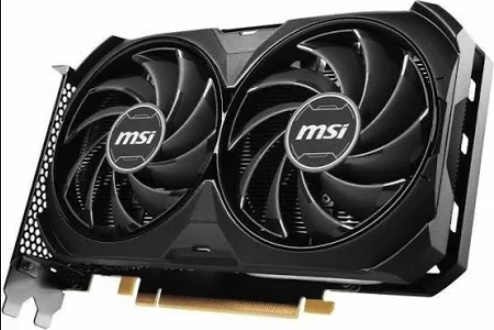
- a decent graphics card (6-8 gig VRAM NVidia min., 16-24 gig VRAM NVidia ideal): the high $ item
- models: Stable Diffusion 1x / 1.5x / SDXL / SD3; Flux1 (Dev/Snell); more coming soon!
- decent internet access: those models can run up to 24 gig or more to download
I have a 16 gig VRAM 4060ti NVidia card... which was, for me, expensive: AUD $750.00!! An 8 gig card will still set you back a good AUD $350.00 and you will soon feel a bit limited as to what you can do.
However, the rest of the PC is older, inexpensive tech. You don't need an expensive processor (CPU). Saying that, I recently invested in 64 gig RAM and an older i7 CPU in order to run Large Language Models (LLMs). This is text-based work, like ChatGPT, but running all on your own PC. I was using it to translate Dad's book. To be honest, though, I've gone back to ChatGPT 5 for that project.
Sept 20 The Start
The language for AI to 'generate' images and video and text is called a "prompt". Prompting is very much a model-specific thing: I "talk" to Emily in a completely different manner, using different sentence structure and syntax, than the language I use in a prompt for an image. And even prompting for that... imaging... has changed over the past years, and even months.
A Midjourney prompt would include formatting-specific instructions formatted a certain way.
Stable Diffusion and SDXL need to be told what NOT to show as well as what to show and there are special boxes for each.
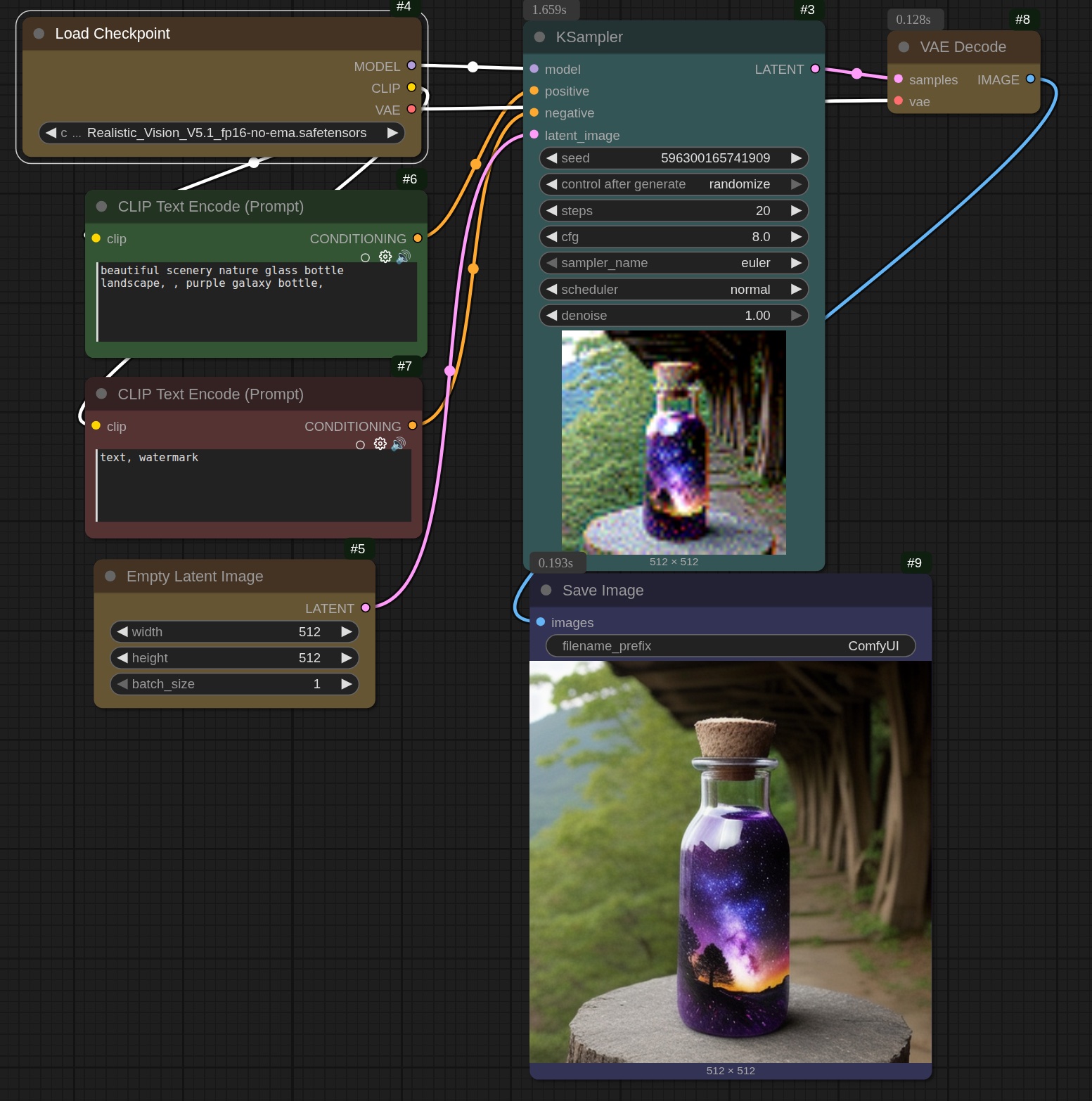
The ComfyUI interface is made up of 'nodes': each node performs a specific function and is connected to other nodes using 'noodles' in a collection or 'graph'. This collection is called a 'workflow'. For example, the 'Load Checkpoint' node loads the imaging model, which in this case is 'Realistic Vision version 5.1'. There are literally thousands of imaging models out there, downloadable for free from a variety of websites, the best of which is HuggingFace.
The green and 'red' nodes are the text encode prompts: 'green' for what you want to see, and 'red' for what you DO NOT want to see. The empty latent image node is a bit difficult to explain... it is basically random 'noise' which is essentially what gets turned into a viewable image by the KSampler, which is sort-of the heart of the thing.

It uses the model, the positive and negative prompts and the latent image (as well as other bits-n-bobs) to create an image.
Yay. 🥱
So, how is this useful? 🥴
Well, paradoxically, the reason I wanted to be able to do this is to prevent copyright-infringement issues when using images to illustrate a book, or a webpage or whatever. Incidently, it's why I started writing my own music as well, so I'd have licence-free music for my videos. I want to be able to create illustrations easily and quickly for whatever I need it for. I needed an image of a waterfall for the cover page of my little piece Waterfall.
AI / ComfyUI was able to provide the image. I did have to generate almost a dozen waterfall images before I had something I liked. By the way, image-making is referred to as 'queue' in ComfyUI. I suppose that might be as it is assumed you're going to be generating a LOT of images—one after the other, i.e., queue—until you get something you like. I had created a lot of images in A1111, but they were pretty much all rubbish, or so extremely poor they were not really worth saving: I've deleted them. Not worth the hard-disk space. By the way, did the same to all my Poser stuff: it's embarassing now how awful that was!
Illustrations for a story is a bit trickier. So, a bit of background... I wanted to write a period piece, set in the Victorian era or before.
The idea is to create characters. Um, people.
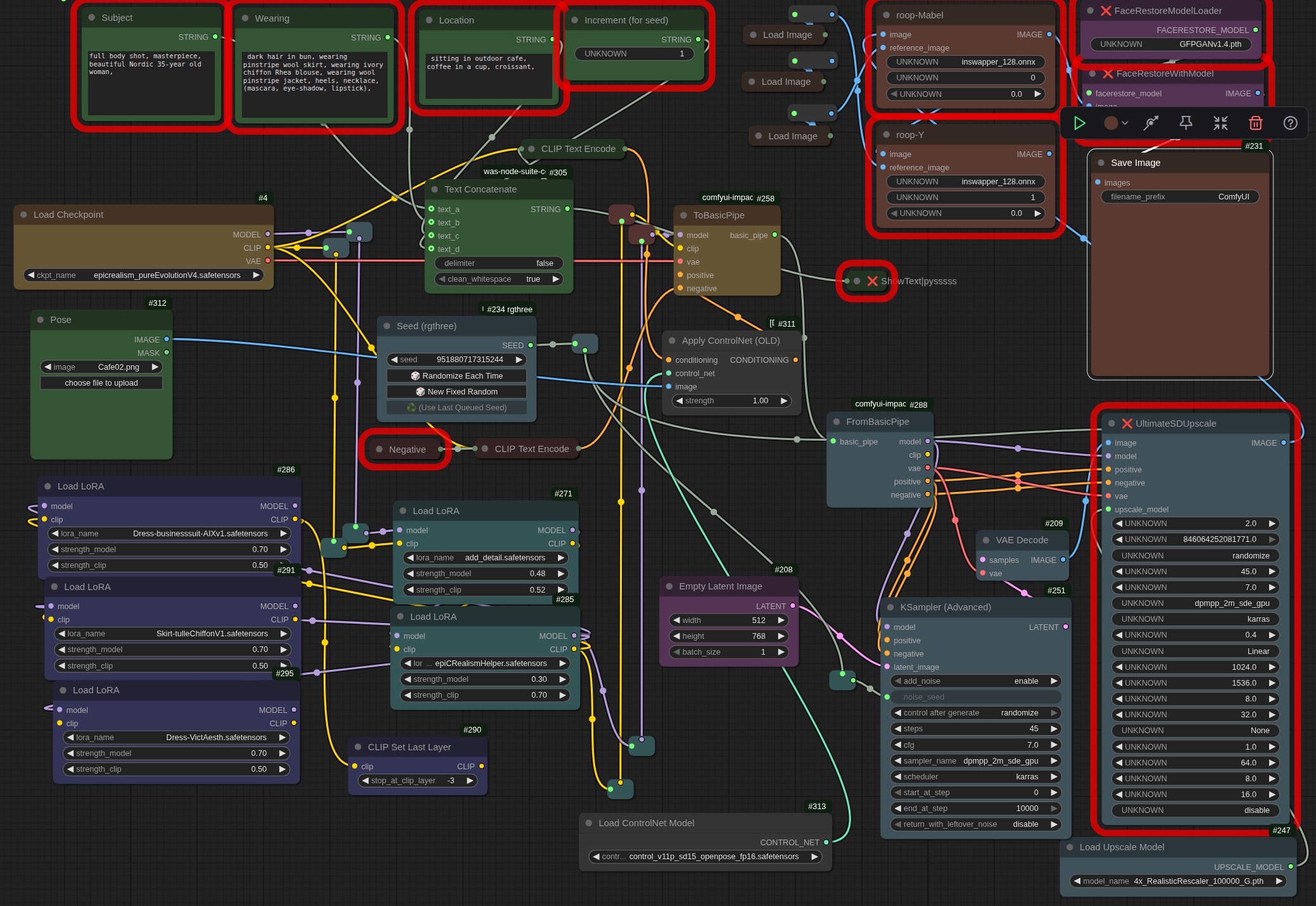
Early days: ComfyUI quickly got complicated. Here's a workflow from then (right-click and open in a new tab for a closer look). I know: a dog's breakfast. 🥴
By the way, that workflow—that bunch of interconnected nodes—was actually STORED within an image file! Yes, when you queue an image, it actually stores all that information on how it was made within the image itself. Wild, huh? So, say someone liked how you created an image (and had a working copy of ComfyUI), you could simply send them the image and they would drop it into ComfyUI and magically your whole workflow would be there.
Pretty neat, huh?
Here's the prompt from that workflow:
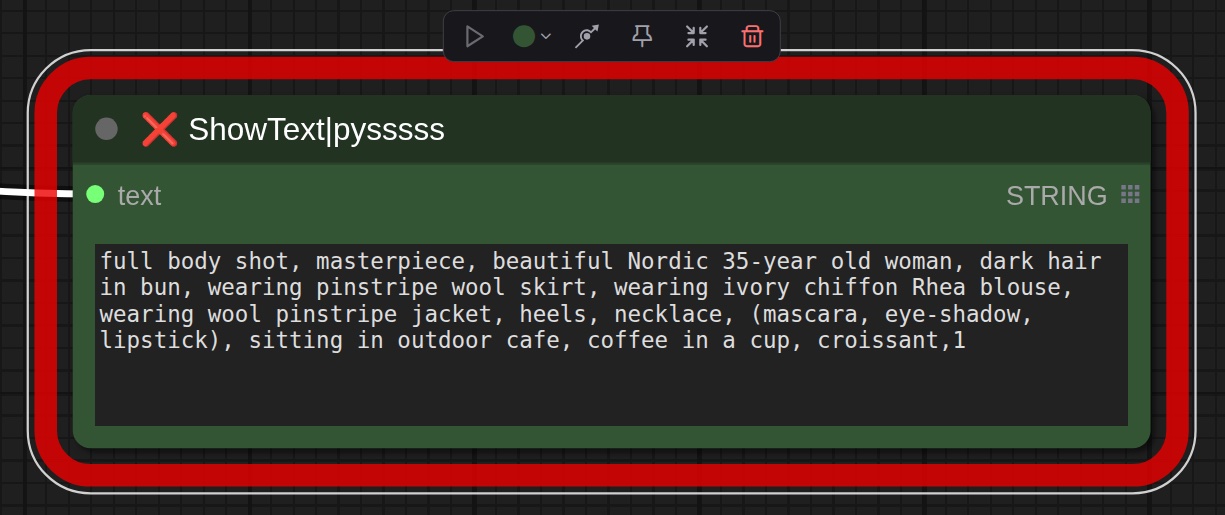
I essentially wanted an image of a girl sitting in a French cafe. I got this:

So, wonky left leg, right hand has 3 fingers, nonsensical text on signs... and where the heck is she sitting? on the sidewalk?!? Also, what about that necklace?
Yeah, not perfect. Not even close.
But the technology has very, very quickly improved. ComfyUI itself dramatically improved and KEEPS improving. Everything is become better, faster, more accurate, more flexible whilst offering more possibilities... and the best bit? It is all FREE!! Yes: no-cost. Once you have purchased your graphics card, you're good to go.
Sept 21 Kaimu
I would like to highlight what ELSE can be done with this process: image repair. Here's an original image I found online of Kalapana (the way I remember it, the original Kaimu Beach). This image has scratches, artifact blotches... in short, it's a really poor photograph (or possibly scan) of an old photograph:
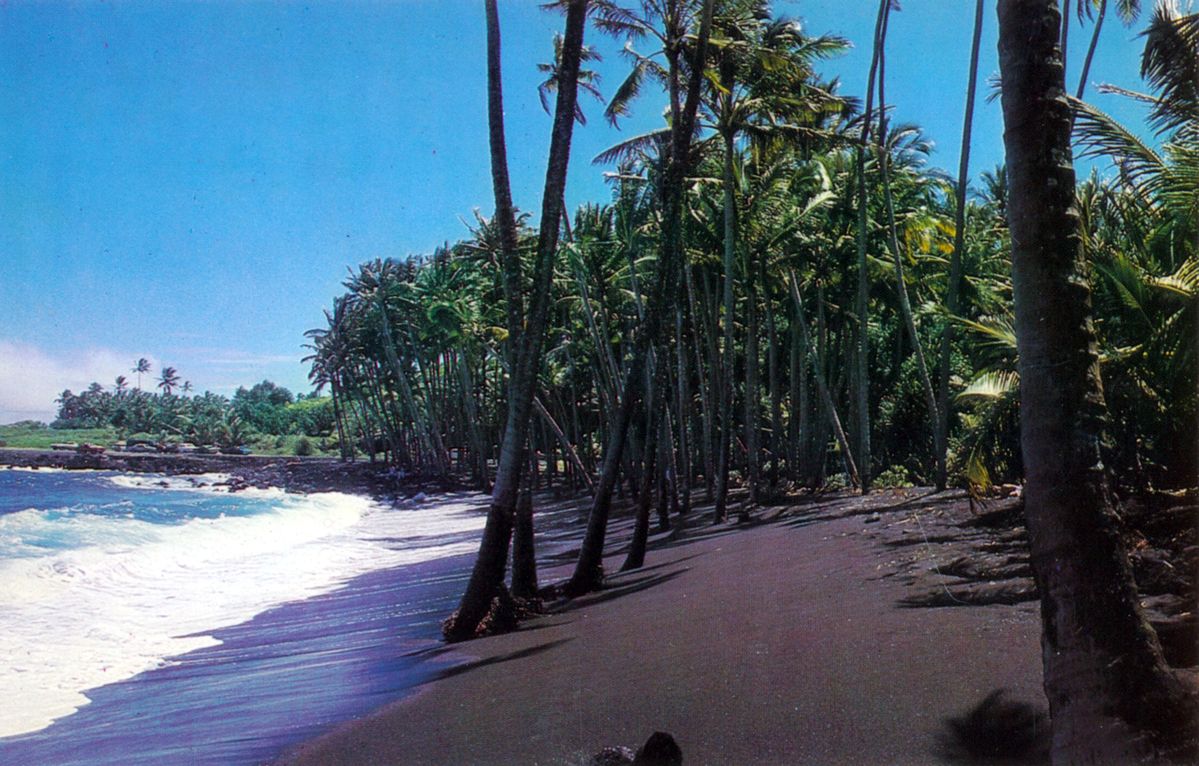
...and here is how it looks, after ComfyUI fixed it:
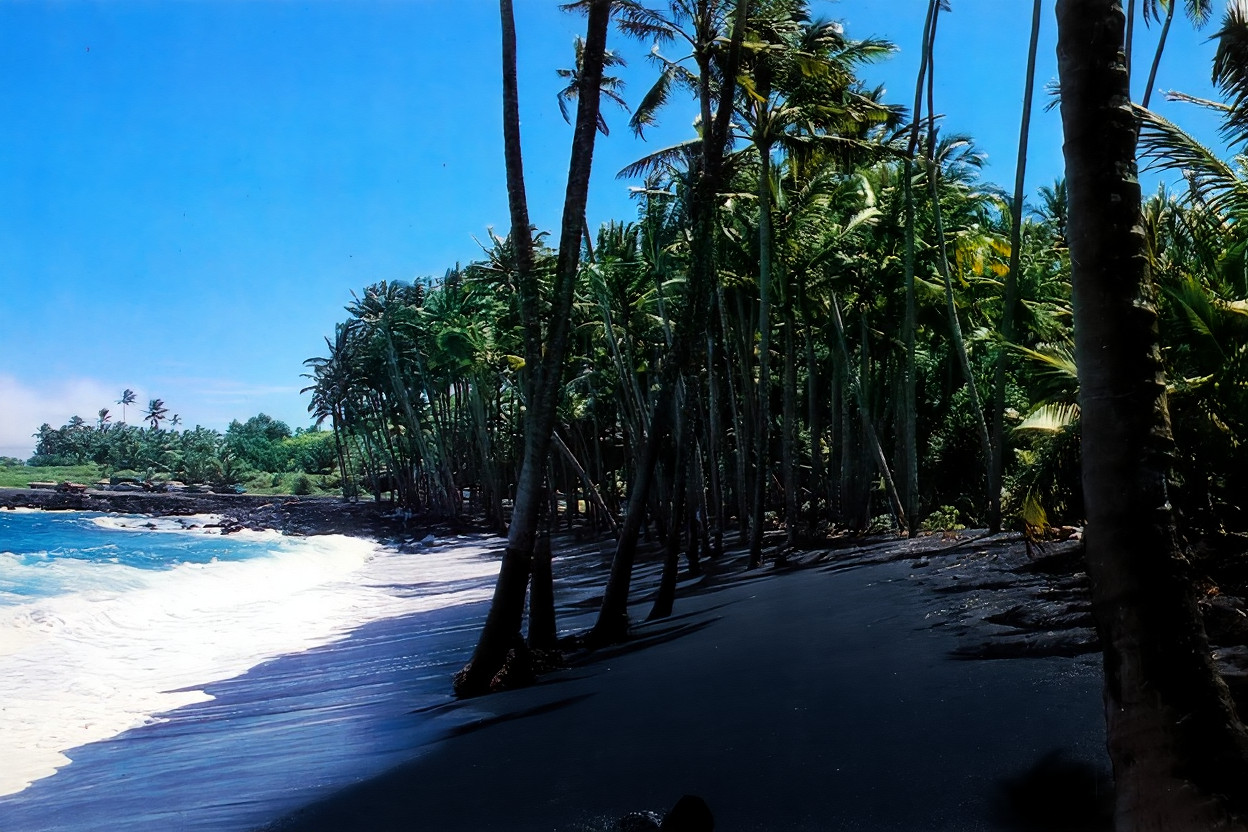
So, there's that.
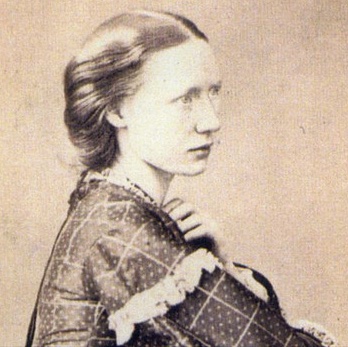
Helps to know how to tell the model what to do... a lot of the magic is in the prompt. I wanted to restore an old, rather poor photograph of Alice Mary Smith. Here's my prompt:
- Restore this damaged vintage portrait by removing scratches and stains, then add realistic period-appropriate colors, including existing dress textures. Maintain the same facial features of the blonde young woman and enhance the texture of white-dotted silk fabric of her dress.
I did have to tweak the prompt a bit, as you do. (In Aussie parlance, a 'bit' usually means 'a lot'). This was for a cover image of Alice for her overture "Lalla Rookh", a massive half-year transcription project, The original picture was, let's say, detail-poor. There are so few photographs of this accomplished composer, so I decided to try to work with this image.
Earlier this year, January 11th, to be exact, I tried to 'fix' this image. I was using this state-of-the-art tech at the time called 'SUPIR'.
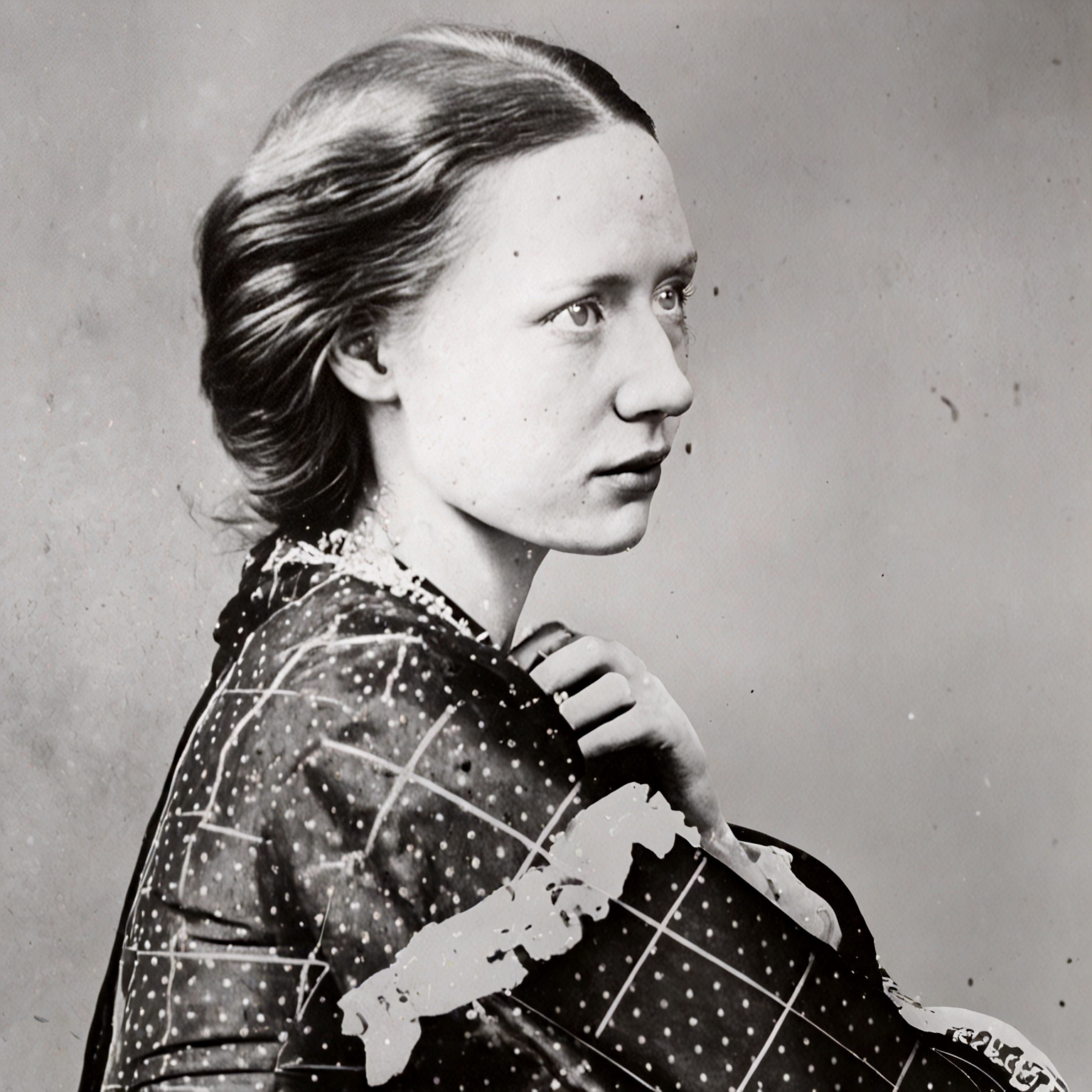
Overall, it seems pretty accurate, although the left eye still seems a bit off. Of course, the whole ComfyUI technology has moved on. No mention is made about SUPIR anymore on the ComfyUI subreddit. After all, SUPIR relied on SDXL tech, and we're now—Sept '25—in the Flux era. Actually, even the Flux era appears to be waning. This time, using the original image as input, Flux1 Kontext yielded this:
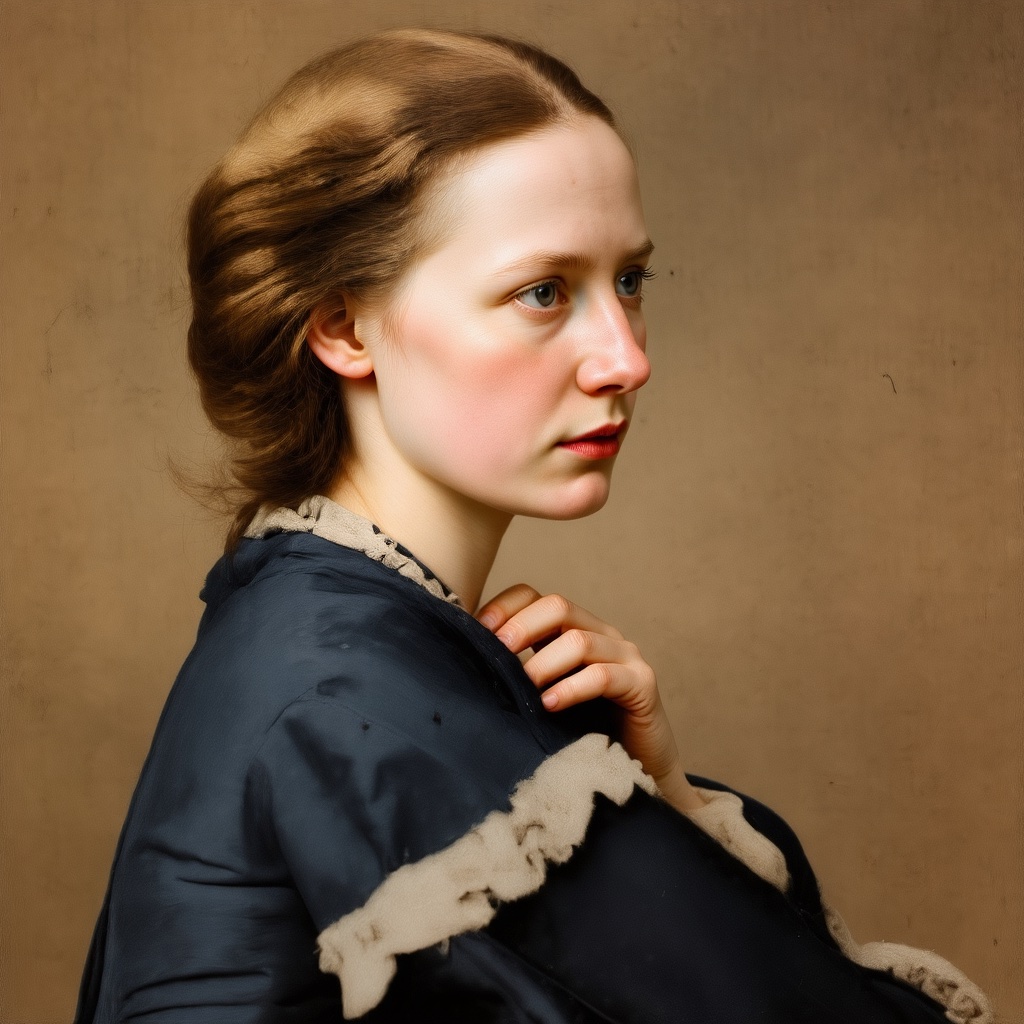
The difference between the original, the SUPIR version and the Flux Kontext version is what keeps me addicted to this tech. No, it isn't perfect, but 🌟 MY STARS ✨ it is head, shoulders and belly-button above even expensive pay-for tech like Topaz Labs, which used to be a stand-alone installed program on your PC, but which they have now made an 'app'. Interestingly, the hardware requirements are virtually the same, so you are 'renting' their node-system for $17-$21 a month.
All of which I get for free, because I took the time to learn the tech. Being lazy tends to be expensive. Just like transcribing this marvelous work of Alice's, putting in a little extra effort makes it so worth it.
So, is this what Alice actually looked like? Who knows. Perhaps a newer, better, more accurate model will do better. Until then, I'm pretty happy.
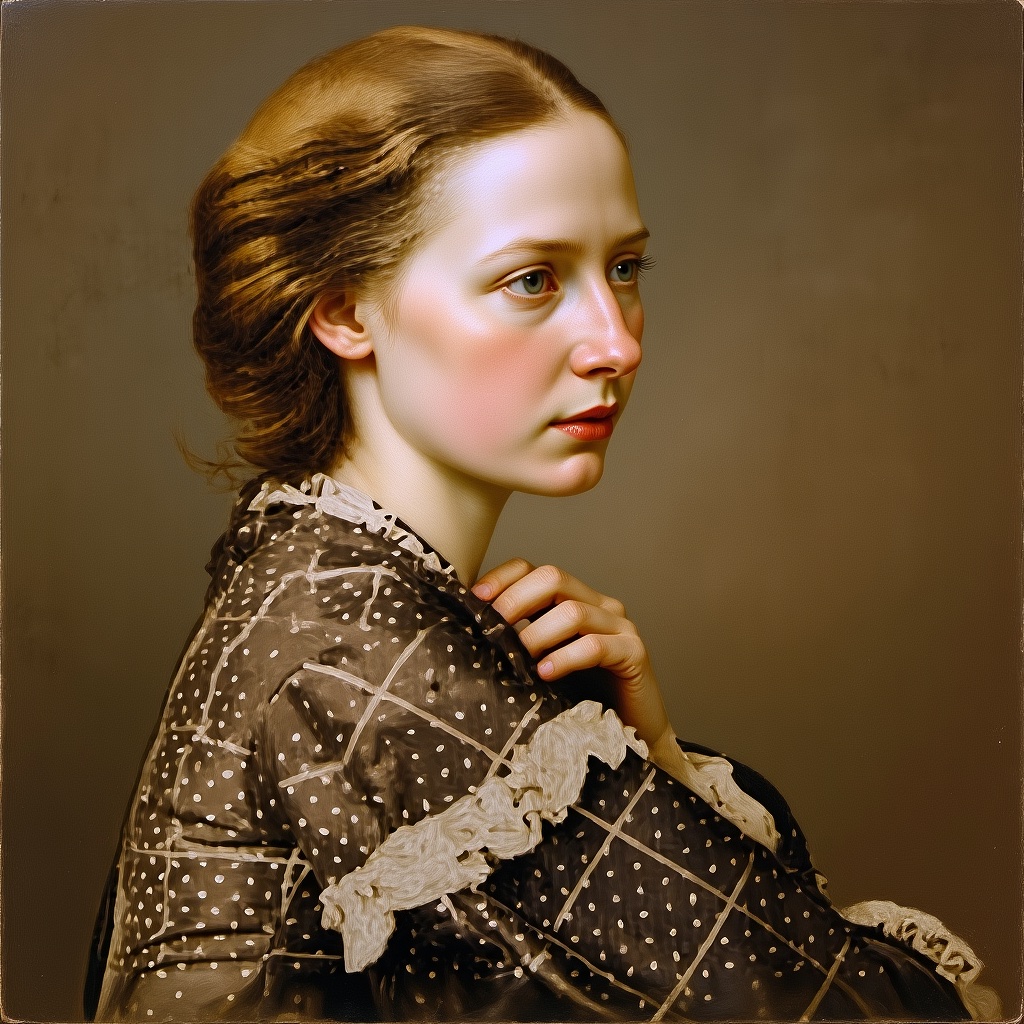
By the way, sometimes it helps to change the sampler and scheduler. Her dress had these dots on it in the original picture, and the deis sampler and kl_optimal scheduler wasn't doing the dress right. So, I went with bog-standard euler sampler and ddim_uniform scheduler to get this:
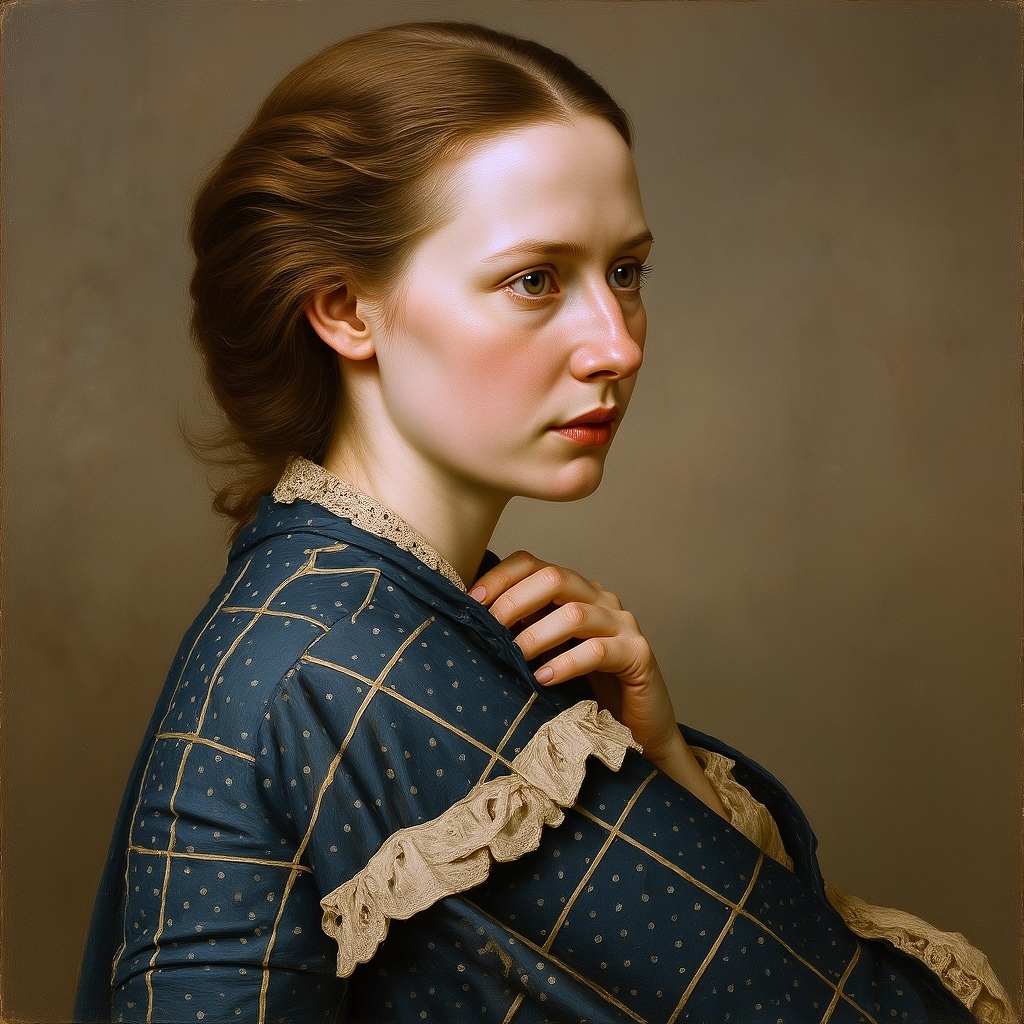
And today (Sept 26th), as I revisit my workflows to convert them all to 'Sub-Graphs', I tried the deis sampler and beta scheduler and got this:
Just for shits-n-giggles, tried the SRPO model on this process... and ended up with a massive ___ F A I L!
As in, a completely blurry horrid blob of nothing recognisable. Conclusion: SRPO is not the same sort of image-to-image tool as Flux Kontext. The key is in the word 'Kontext', I believe.
Whilst mucking around with all this, I'm listening to Serenade #4 by Robert Fuchs. I hear the first movement of this piece on repeat in my head, in my dreams, in my imaginings. This should define a lot of who I am... how my head is shaped.
Two horns and string section: that is my next piece. Yeah, there will be a bit for the english horn in there, somewhere.
Oh, by the way, there are these modified versions of models that come under the 'gguf' umbrella. What is a 'gguf'? Technically speaking, it is a binary format that is optimized for quick loading and saving of models, making it highly efficient for inference purposes.
Yep, I'm there with you. Pretty much all of the descriptors of this tech is couched it that language. It's English. Sort-of. How can words mean so little??
From a practical perspective, it's a more usable version of a model for someone who doesn't have a graphics card with insane amounts of VRAM.
My graphics card has 16gig of VRAM. Respectable. Decent amount. But there are cards out the that cost tens of thouands of dollars that have, um, more. LOTS more.
The last Flux1 Kontext model was a GGUF model. It was an 8-bit model. 'Bit' is a term about quantization. What is 'quantization'?
Well, quantization is the process of mapping continuous infinite values to a smaller set of discrete finite values. In the context of simulation and embedded computing, it is about approximating real-world values with a digital representation that introduces limits on the precision and range of a value.
Answer for mere mortals like us: it's about accuracy, detail and approximation. 8-bit approximates (is a bit more accurate) a bit better than 4-bit or 2-bit. Still, whilst the 8-bit model created that last image, a 4-bit model created this:
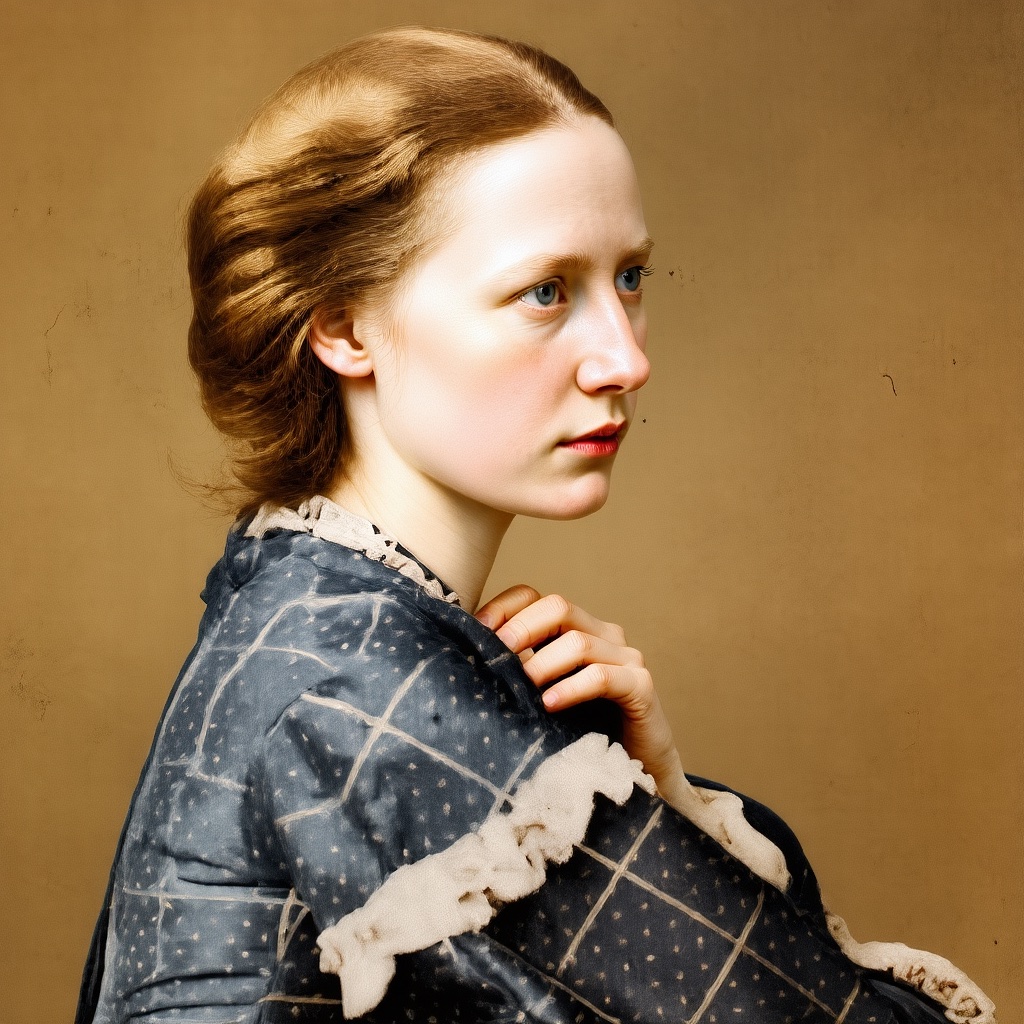
Not a shabby effort. Not as stellar as 8-bit but still heaps better than the original. Who know which one is the most accurate. Not from that time period, so it's likely to remain anyone's guess, for now.
Note: I'm going to continue documenting my little exploring with SRPO on my blog.
See Blog 25 for other things I'm up to.
Sept 26 Sub Graphs
Hope a bit of a deep-dive might prove beneficial at this stage. At the outset of this exploration of ComfyUI, I mentioned nodes. Allow me to explain what a node is: it is basically a visual representation of code that performs a specific function. To load an image into a workflow, for example, I need the Load Image node. The code for that node lives in a file called "nodes.py", which is a core part of ComfyUI. The file extension '.py' gives a clue as to the code's language: Python.
The node collection on a graph called a workflow can become quite complex. Even my own little workflows got fairly messy after a while: it was a challenge to remember what values of which nodes to tweak. I used colour to indicate which nodes I should look at, but it was still a mess.
Then, the bright minds at ComfyUI came up with the concept of Sub-Graph. The name doesn't really do the magic justice. Consider this workflow (right-click and open in new tab to see it properly) :
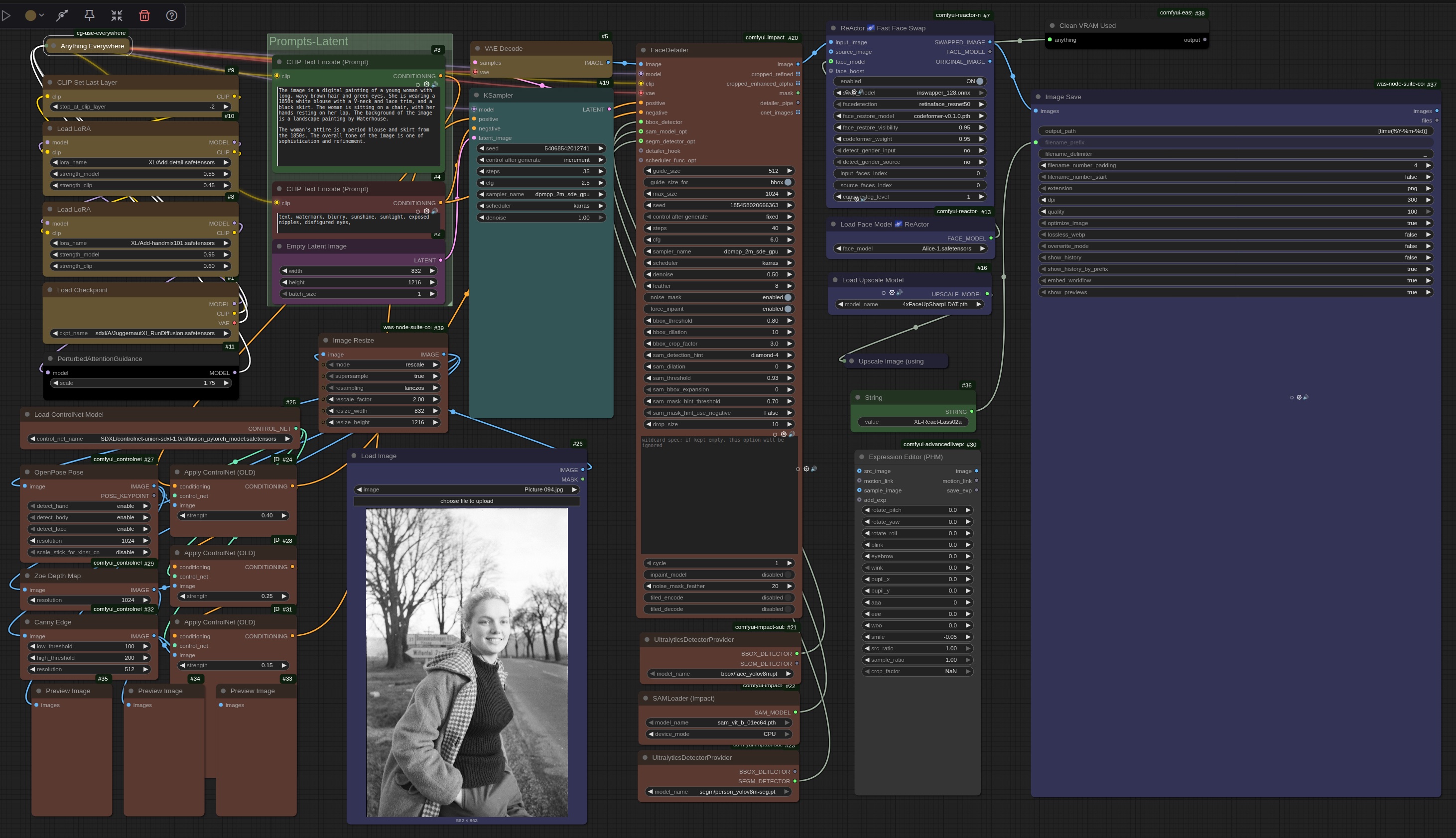
Of course, this did a lot back in the SDXL days. But it was a nightmare to navigate.
That same workflow has, through the magic of Sub Graph, been simplified to this:
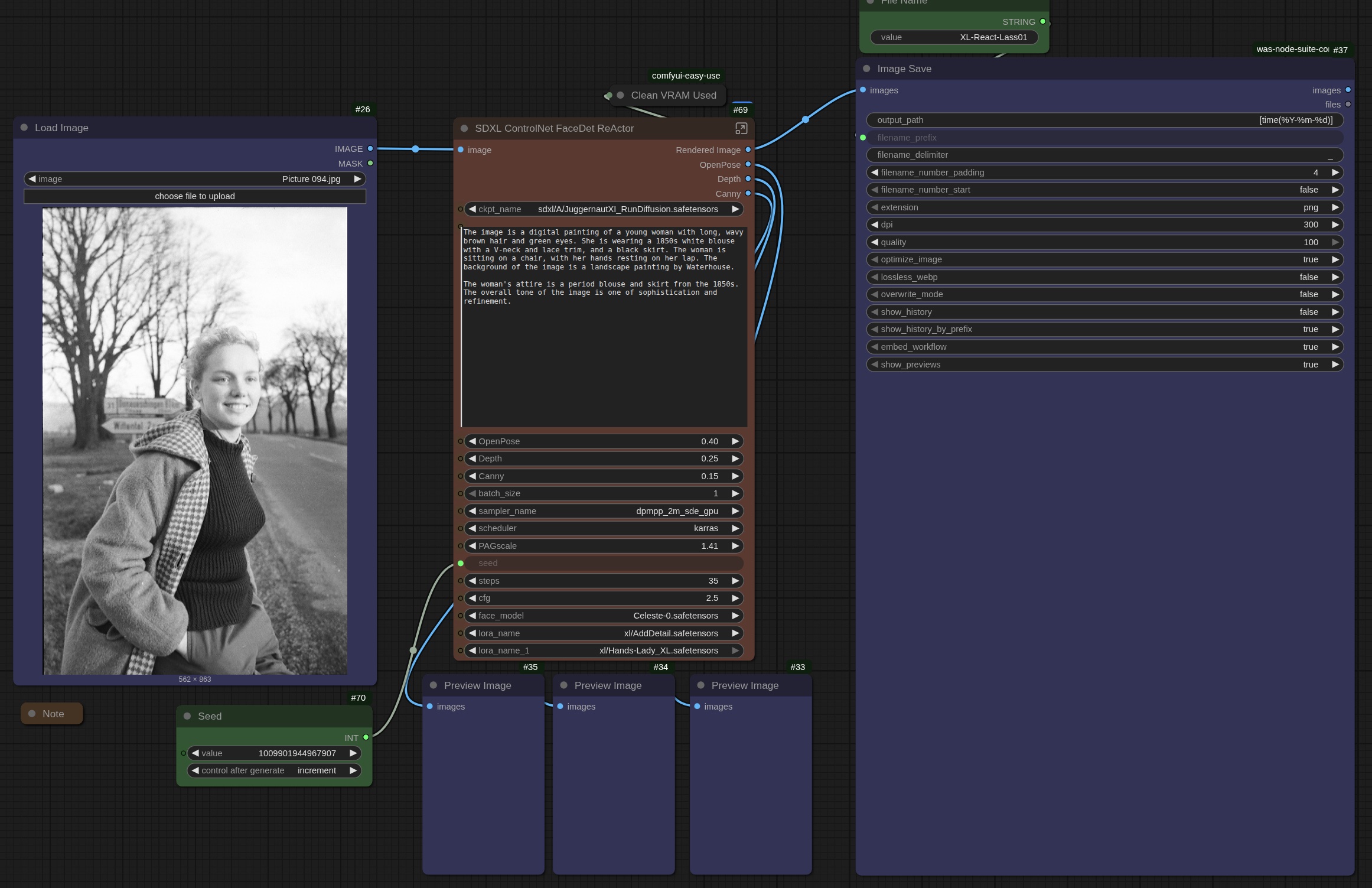
Whole-buncha-nodes into 1 node. ⚡️
And everything I might want to change right out front. 💥
Sub Graph is still in development, so I look forward to improvements from here, even. No telling what will come out next month, next week, tomorrow or a few hours from now! 🥂
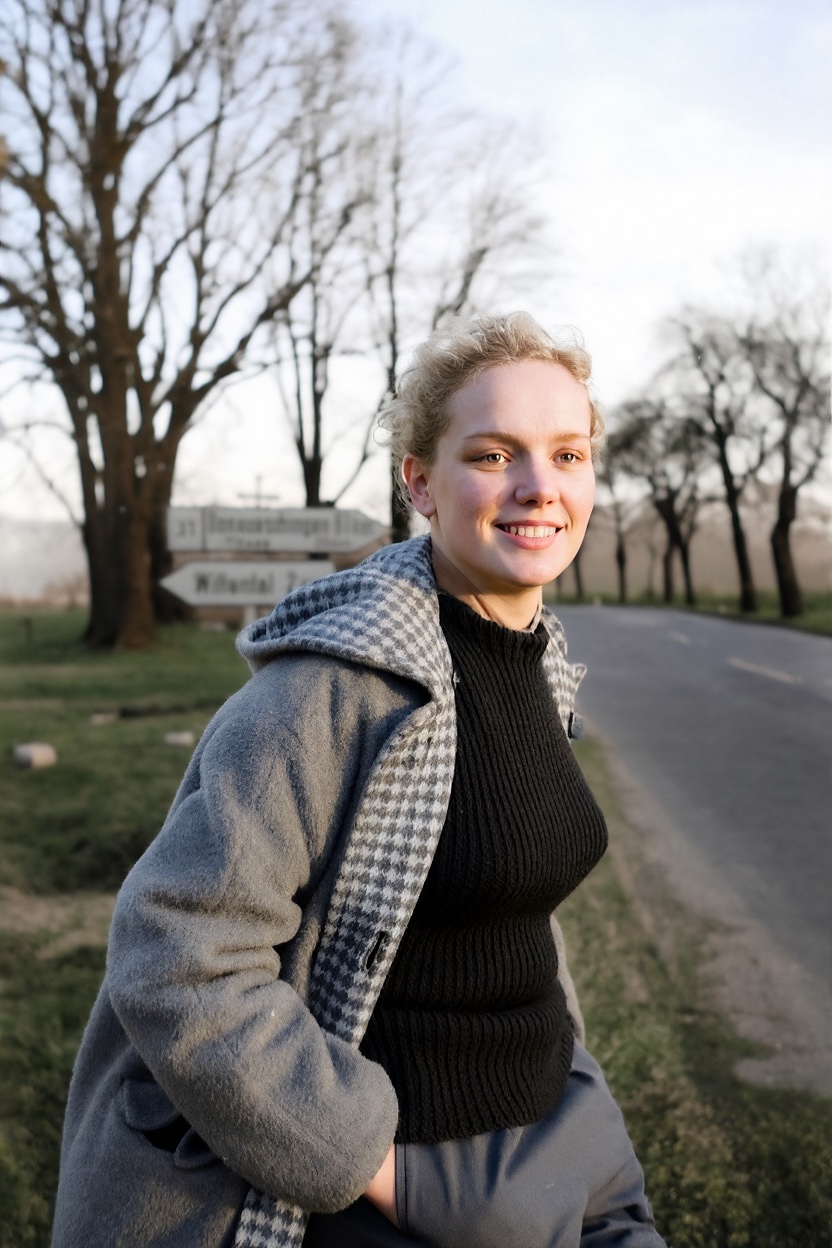
Oh, and by the way, that workflow I ran Alice through? Tamara followed:
Note to self: Quick Links